
Types of Gauges
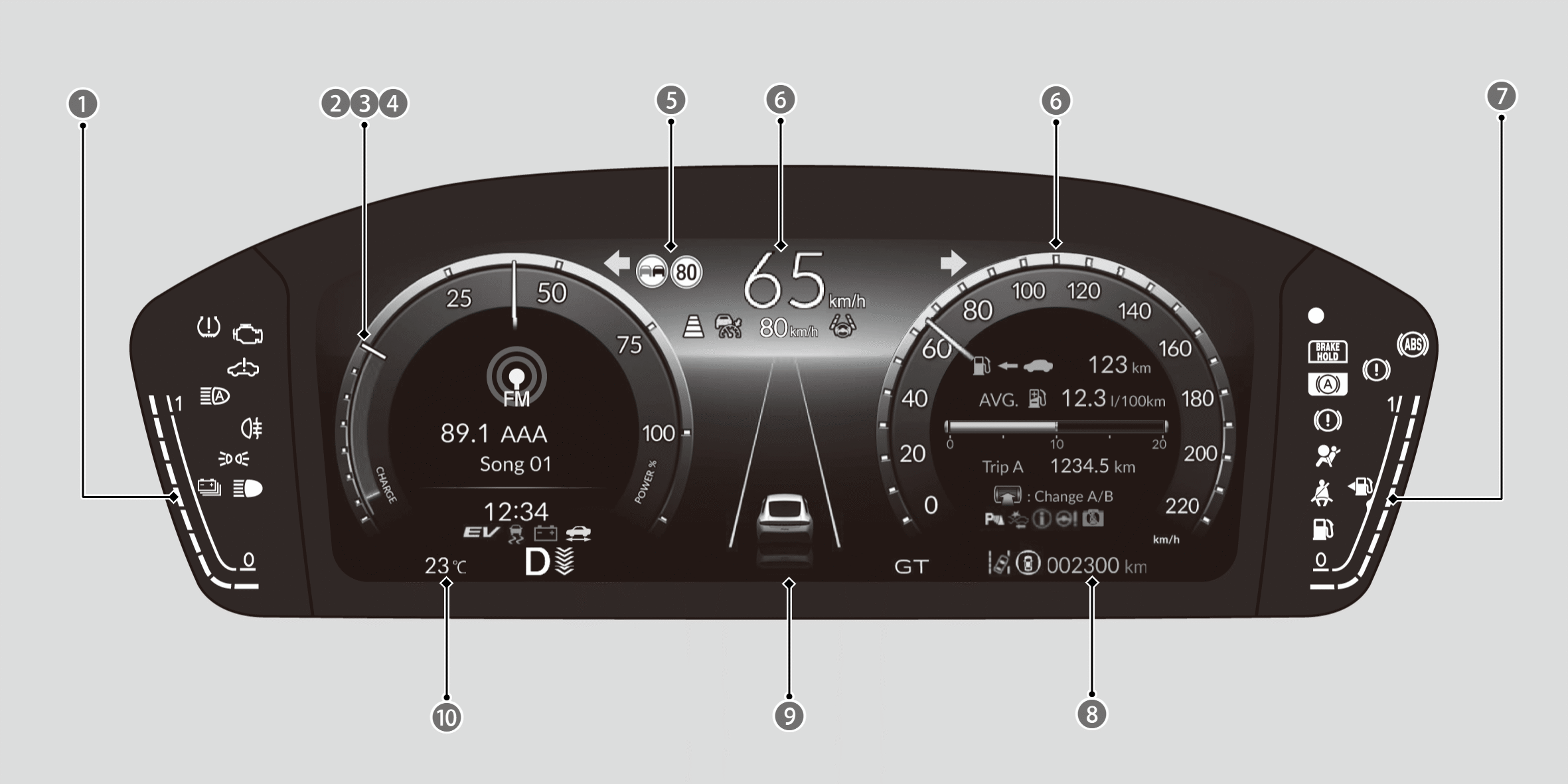

High Voltage Battery Charge Level Gauge

POWER Gauge

CHARGE/DECEL Gauge

Tachometer

Traffic Sign Recognition System

Speedometer

Fuel Gauge

Odometer

Current Mode for Adaptive Cruise Control (ACC) with Low Speed Follow, the Lane Keeping Assist System (LKAS), and Traffic Jam Assist

Outside Temperature
Speedometer
Displays your driving speed.
- You can change the Speed/Distance units.
POWER Gauge
Shows the output of the electric motor.
CHARGE/DECEL Gauge
Shows the degree to which the High Voltage battery is being charged.
When the deceleration paddle selector is being used, it shows the strength of deceleration.
Tachometer
Shows the number of engine revolutions per minute.
When Honda S+ Shift is turned on, the POWER gauge and CHARGE/DECEL gauge are switched to the tachometer.
Fuel Gauge
Displays the amount of fuel left in the fuel tank.
- You should refuel when the reading approaches 0.
- Running out of fuel can cause the engine to misfire, damaging the catalytic converter.
- After lightly refueling, or depending on your vehicle’s condition, the actual amount of remaining fuel may differ from the fuel gauge reading.
High Voltage Battery Charge Level Gauge
Shows the remaining High Voltage battery charge level.
- The High Voltage battery charge level may decrease under the following conditions:
- When the 12-volt battery has been replaced.
- When the 12-volt battery has been disconnected.
- When the High Voltage battery control system corrects its reading.
- Changes in the temperature of the High Voltage battery can cause the number of indicators in the battery charge level gauge to change.
Outside Temperature
Shows the outside temperature.
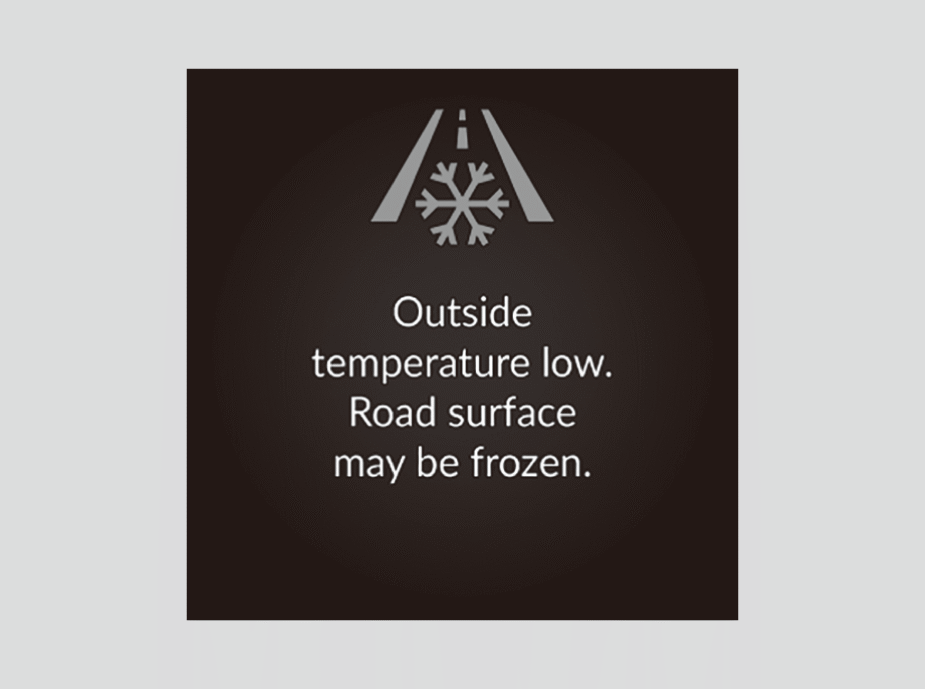
When the power mode is turned to ON while the outside temperature is 3°C or less, the Outside temperature low message displays in white.
If the outside temperature drops to 3°C or less while driving, the message displays in amber.
- The temperature sensor is in the front bumper.
- Your vehicle, surrounding vehicles, and road heat can affect the temperature reading when your vehicle speed is less than 30 km/h (19 mph). Also, the display is not updated until the temperature reading has stabilised. This may take several minutes.

You can adjust the temperature displayed on the gauge.
Traffic Sign Recognition System
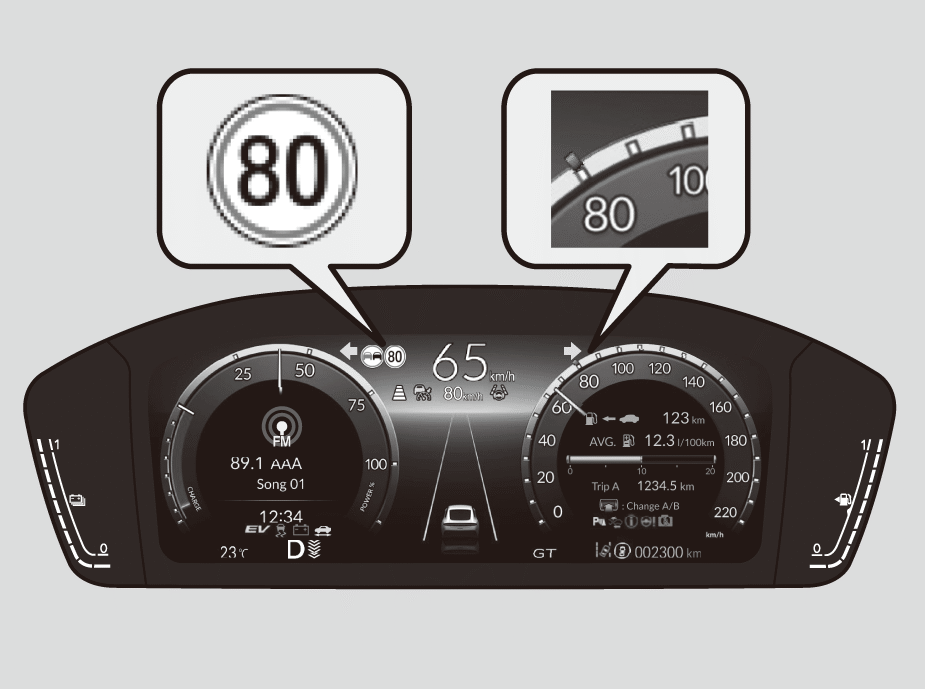
Shows certain detected traffic signs while driving.
The sign icon blinks when the maximum speed of the detected traffic sign is exceeded.
Current Mode for Adaptive Cruise Control (ACC) with Low Speed Follow, the Lane Keeping Assist System (LKAS), and Traffic Jam Assist
Shows the current mode for ACC with Low Speed Follow, LKAS, and Traffic Jam Assist.
About Adaptive Cruise Control (ACC) with Low Speed Follow
About Lane Keeping Assist System (LKAS)
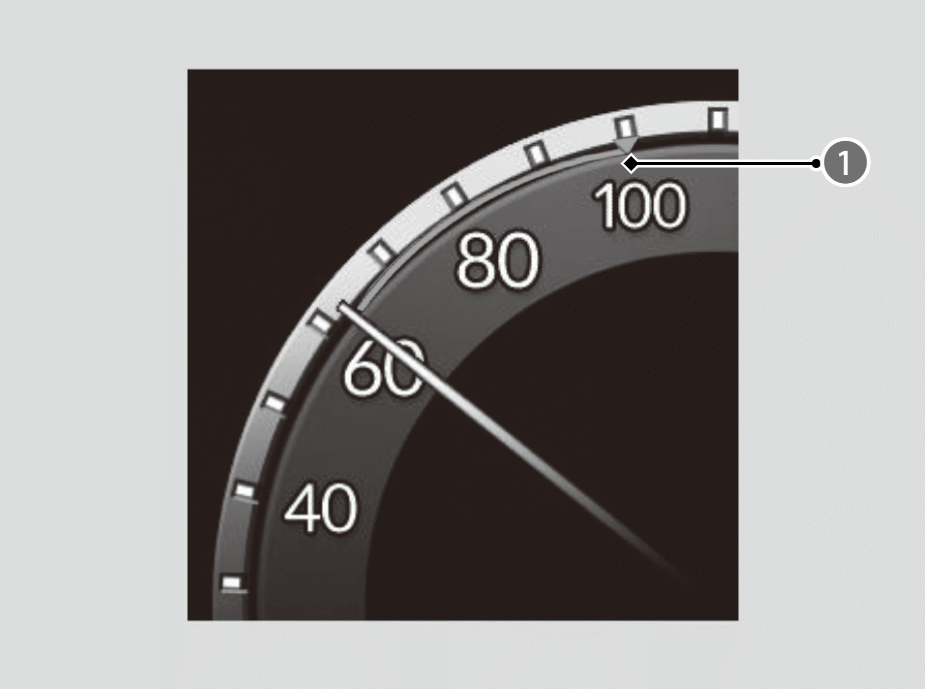
Set Speed
- When you set speed for ACC with Low Speed Follow, a set speed mark will be displayed on the speedometer.
Odometer
Shows the total distance that your vehicle has travelled.
Brightness Control
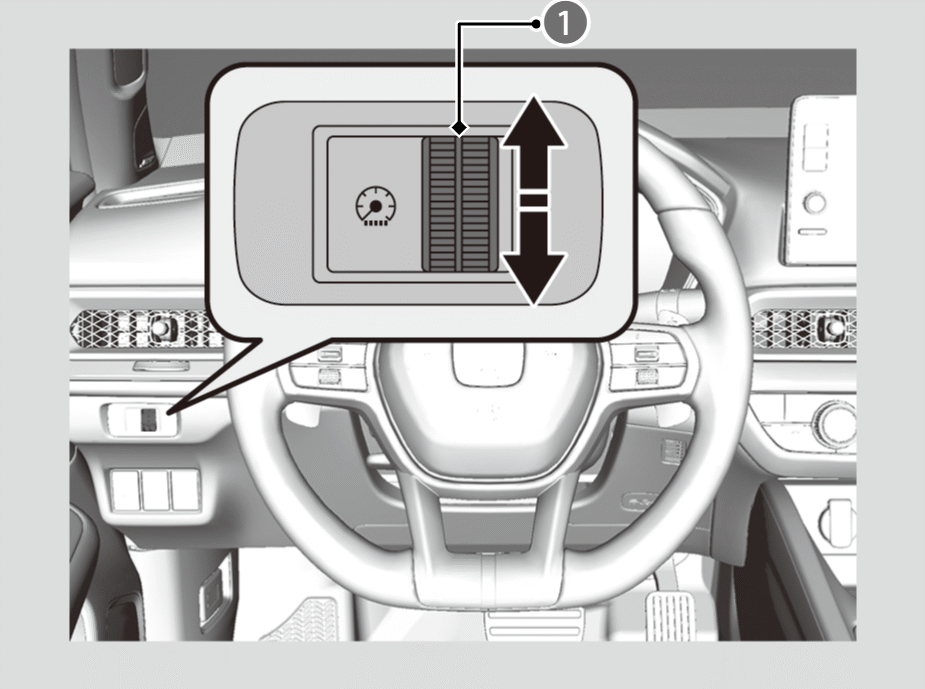
Control Dial
When the power mode is in ON, you can use the brightness control dial to adjust instrument panel brightness.
Brighten: Turn the dial up.
Dim: Turn the dial down.
- The brightness of the gauge is automatically adjusted depending on the ambient brightness.
- The brightness decreases when the ambient light is dark.
- The brightness increases when the ambient light is bright.
- You can change the setting even when the ambient lighting is bright, but the brightness of the gauge won’t change.