
Customized Features
Use the audio/information screen to customize certain features.

How to Customize the General Settings
With the power mode in ON, press the (Home) button, select General Settings, and select a setting item.
List of Customizable Options
System
Date & Time ➔ Set Date & Time
-
Automatic Date & Time
ON/OFF
-
Set Date
Day/Month/Year
-
Set Time
Hour/Minute/AM/PM
Date & Time ➔ Time Zone
-
Automatic Time Zone
-
ON/OFF
-
-
(Select time zone)
-
Changes the time zone manually.
-
Date & Time ➔ Auto Daylight Saving Time
ON/OFF
Date & Time ➔ Date Format
MM/DD/YYYY, DD/MM/YYYY, YYYY/MM/DD
Date & Time ➔ Time Format
12-H/24-H
Language
English or Turkish
Some languages may not be available in all regions. Check the audio/information screen for available options.
Touch Panel Sensitivity
High/Normal
System Volumes ➔ System Sounds
Sets the system sound volume level.
System Volumes ➔ Text-to-Speech
Sets the text-to-speech volume level.
System Volumes ➔ Navigation Guidance
Sets the navigation guidance volume level.
System Volumes ➔ Phone Calls
Sets the phone call volume level.
System Volumes ➔ Default
Resets all System Volumes settings to default values.
Location and vehicle data sharing* ➔ Location and vehicle data sharing
ON/OFF
Refuel Recommend*
ON/OFF
About ➔ Status
Displays the Android setting items.
About ➔ Legal Information
Displays the Android setting items.
About ➔ Model Number
Displays the Android setting items.
About ➔ Android Version
Displays the Android setting items.
About ➔ Kernel Version
Displays the Android setting items.
About ➔ Build Number
Displays the Android setting items.
Factory Data Reset
Continue/Cancel
Detail Information ➔ App Manager
Displays the Android system memory and apps information.
Smartphone Connection
Apple CarPlay ➔ (Saved Devices)
Connects, disconnects, or deletes a paired phone.
Android Auto ➔ (Saved Devices)
Connects, disconnects, or deletes a paired phone.
Connections
Wi-Fi ➔ Change Mode
Network/Smartphone*1/OFF
Wi-Fi ➔ (Available Networks/Connected Devices)
Displays the available network(s) or current connected device(s).
Wi-Fi ➔ Options
-
Add Network
-
Adds a new network to connect Wi-Fi.
-
-
Saved Networks
-
Saves the connected network.
-
Bluetooth ➔ Options
-
Bluetooth
-
ON/OFF
-
-
Priority Device
Sets a device as the priority device.
Bluetooth ➔ (Saved Devices)
Connects, disconnects, or deletes a paired phone.
*1: Appears only when Apple CarPlay is connected.
Display
Brightness
Changes the brightness of the audio/information screen.
Contrast
Changes the contrast of the audio/information screen.
Black Level
Changes the black level of the audio/information screen.
Day Mode*1
Changes between the daytime mode and night mode.
Night Mode*1
Changes between the daytime mode and night mode.
Default
Resets all customized settings for the brightness, contrast, and black level.
*1: When the AID sensor is disabled.
Sound
Bose Dynamic Speed Compensation
Adjusts the volume level based on the vehicle speed.
Camera
Rear Camera ➔ Fixed Guideline
ON/OFF
Rear Camera ➔ Dynamic Guideline
ON/OFF
Cross Traffic Monitor
ON/OFF
Voice Control
Voice Control Mode
Assist/Normal
How to Customize the Vehicle Settings
With the power mode in ON, press the(Home) button ➔ Vehicle Settings ➔ setting item.
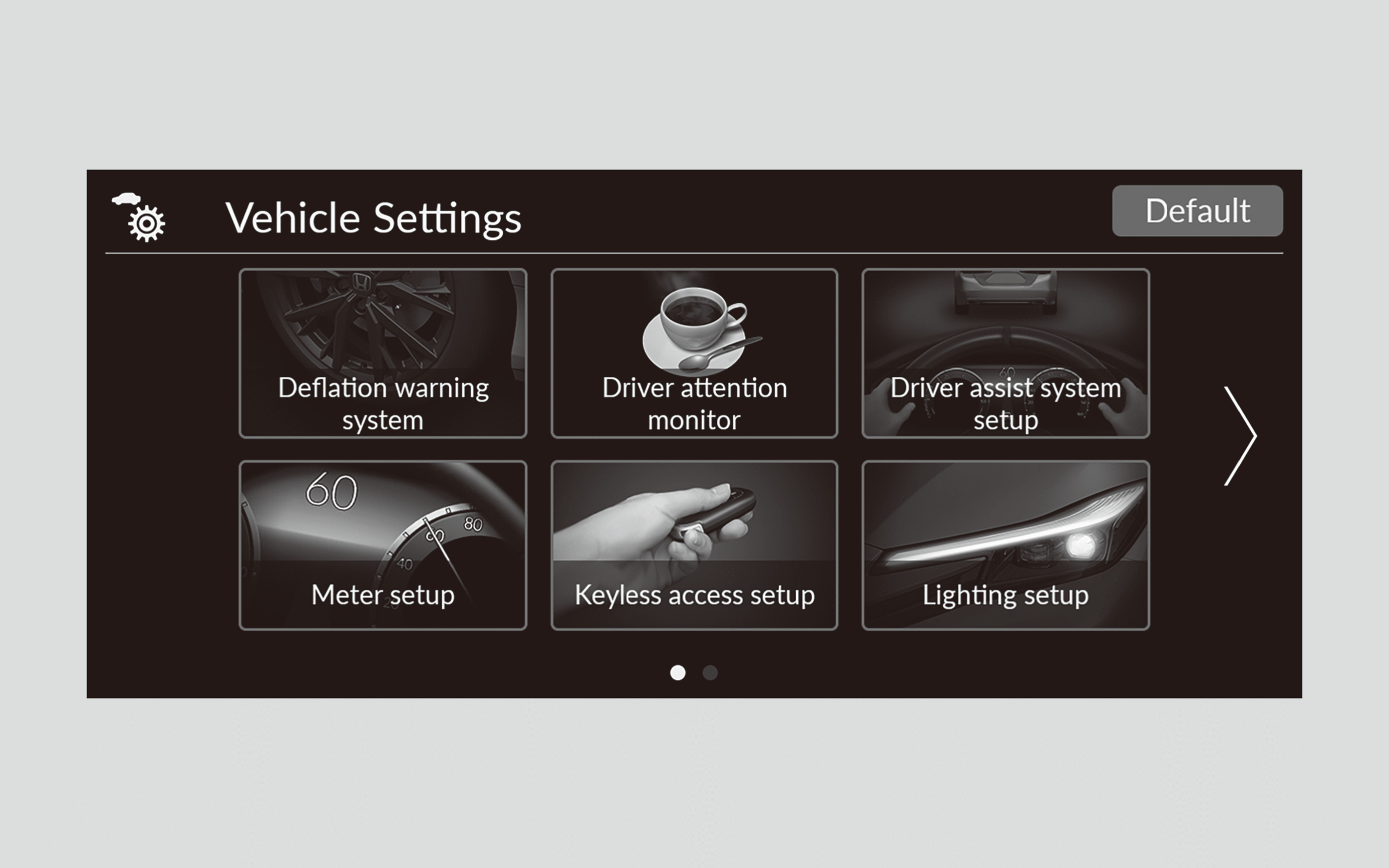
List of Customizable Options
Deflation warning system
-
Deflation warning system
-
Calibrate/Cancel*1
-
*1: Default Setting
Driver attention monitor*2
-
Driver drowsiness alert
-
ON*1/OFF
-
-
Driver distraction alert
ON*1/OFF
*1: Default Setting
*2: You can select All Off to turn off the Driver attention monitor features.
Driver assist system setup
-
Preceding vehicle proximity warning distance
Far/Normal*1/Near
-
ACC vehicle ahead detected beep
ON/OFF*1
-
Road departure mitigation setting
Early/Normal/Delayed*1
-
Lane keep assist beep
ON/OFF*1
-
Blind spot information
Audible and visual alert*1/Visual alert only
-
Traffic sign recognition system display
Display*1/None
-
Speed limit sign change beep
ON/OFF*1
-
Rear sensor setting
-
ON*1/OFF
-
*1: Default Setting
Meter setup
-
Warning message
ON/OFF*1
-
Adjust outside temp. display
-3°C ~ ±0°C*1 ~ +3°C
-
Trip A reset timing
When fully refueled/When ignition is turned OFF/Manual reset*1
-
Trip B reset timing
When fully refueled/When ignition is turned OFF/Manual reset*1
-
Alarm volume control
Max/Mid*1/Min
-
Reverse position alert tone
-
ON*1/OFF
-
-
Turn by turn display
-
ON*1/OFF
-
-
Speed/distance units
km/h·km*1, mph·miles
km/h·km, mph·miles*1
-
Rear seat reminder
ON*1/OFF
*1: Default Setting
Keyless access setup
-
Door unlock mode
Driver door only*1/All doors
-
Keyless access light flash
ON*1/OFF
*1: Default Setting
Lighting setup
-
Adaptive driving beam
ON*1/OFF
-
Interior light dimmer duration
60sec/30sec*1/15sec
-
Headlight auto OFF timer
60sec/30sec/15sec*1/0sec
-
Headlight integration with wipers
ON*1/OFF
*1: Default Setting
Door/window setup
-
Key and remote unlock mode
-
Driver door only*1/All doors
-
-
Keyless lock notification
ON*1/OFF
-
The outer handle pop-out setting
ON*1/OFF
-
Auto folding door mirror
ON*1/OFF
-
Lock presetting*
ON*1/OFF
-
Remote Window Control
ON*1/OFF
*1: Default Setting
Predictive Eco Assist*
-
Predictive Eco Assist
-
ON*1/OFF
-
*1: Default Setting
Climate control setup
-
Driver seat automatic climate control
-
ON*1/OFF
-
-
Passenger seat automatic climate control
-
ON*1/OFF
-
*1: Default Setting
INDIVIDUAL Settings
-
Powertrain
-
COMFORT/GT*1/SPORT
-
-
Suspension
-
COMFORT/GT*1/SPORT
-
-
Steering
-
COMFORT/GT*1/SPORT
-
-
Engine Sound
-
COMFORT/GT*1/SPORT
-
-
ACC
-
COMFORT/GT*1
-
-
Gauge
-
COMFORT/GT*1/SPORT
-
*1: Default Setting
Maintenance info.*
-
Maintenance info.
-
Reset/Cancel*1
-
*1: Default Setting
Engine oil level check reminder
-
Engine oil level check reminder
-
Reset/Cancel*1
-
*1: Default Setting
Defaulting All the Settings
Reset all the menu and customized settings to their factory defaults.
- If you perform Factory Data Reset, it will reset the preinstalled apps to their factory default.
Defaulting General Settings
- Press the(Home) button.
- Select General Settings.
- Select System.
- Select Factory Data Reset.
- A confirmation message appears on the screen.
- Select Continue to reset the settings.
- Select Continue again to reset the settings.
- The system will reboot.
Defaulting Vehicle Settings
- Press the(Home) button.
- Select Vehicle Settings.
- Select Default.
- Select Yes.
*: Not available on all models