
Honda S+ Shift
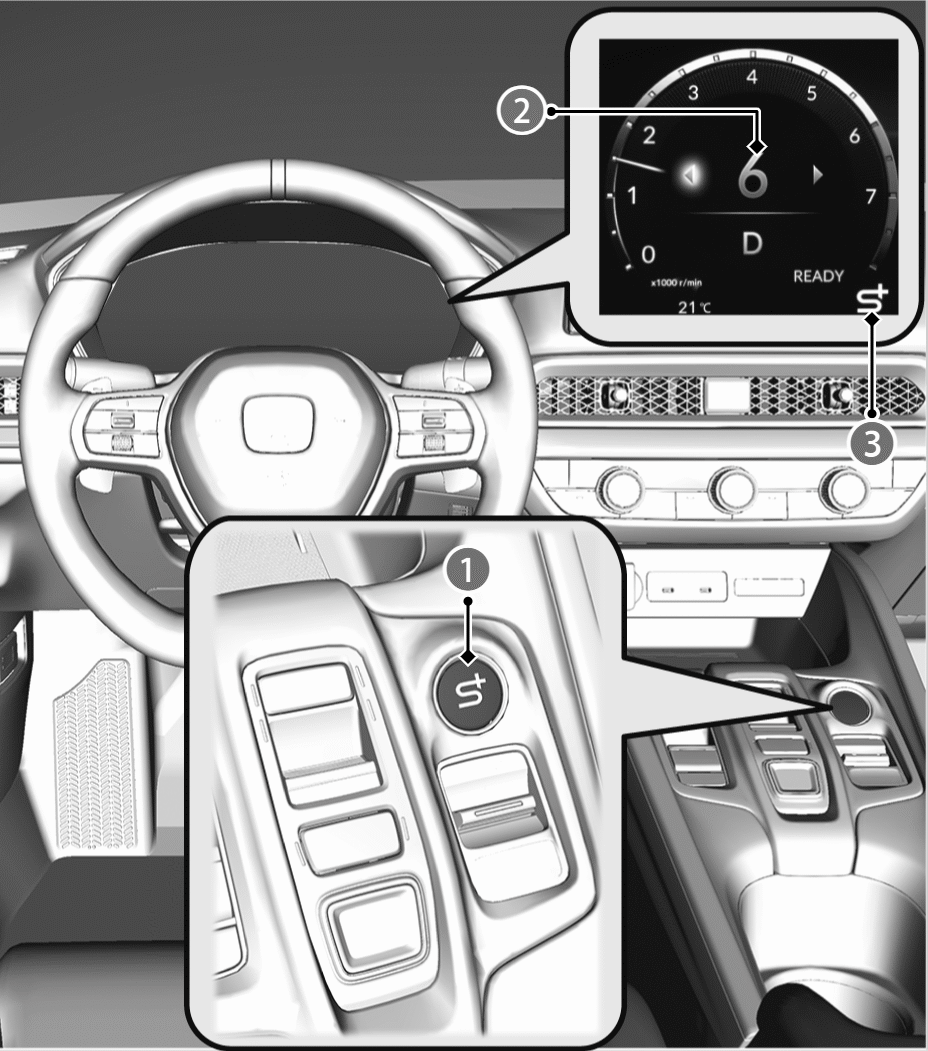
Press the Honda S+ Shift switch ( ) to shift through levels of vehicle speed. This feature simulates the sounds and sensations of driving a vehicle with a transmission system. When you press this switch, the gauge display changes to the tachometer. When you accelerate or decelerate, the simulated gear level (
 ) and an S+(
 ) are displayed on the gauge.
How Honda S+ Shift Works
You can press the Honda S+ Shift switch to turn the system on and off.
You can still change drive modes when the system is turned on.
While the system is turned off, you can press and hold the switch to change to INDIVIDUAL mode.
The system is turned off when the power mode is set to OFF.
If you operate Adaptive Cruise Control (ACC) with Low Speed Follow while the system is on, then the system will be turned off.
The system may not be able to be turned on under some driving conditions. A message will be displayed if this happens.
- When decelerating or driving uphill, the system may shift down based on the High Voltage battery’s state of charge.
- Vehicle speed and engine speed may not interact as needed for this system due to driving conditions or the temperature of vehicle systems.
Paddle shifter
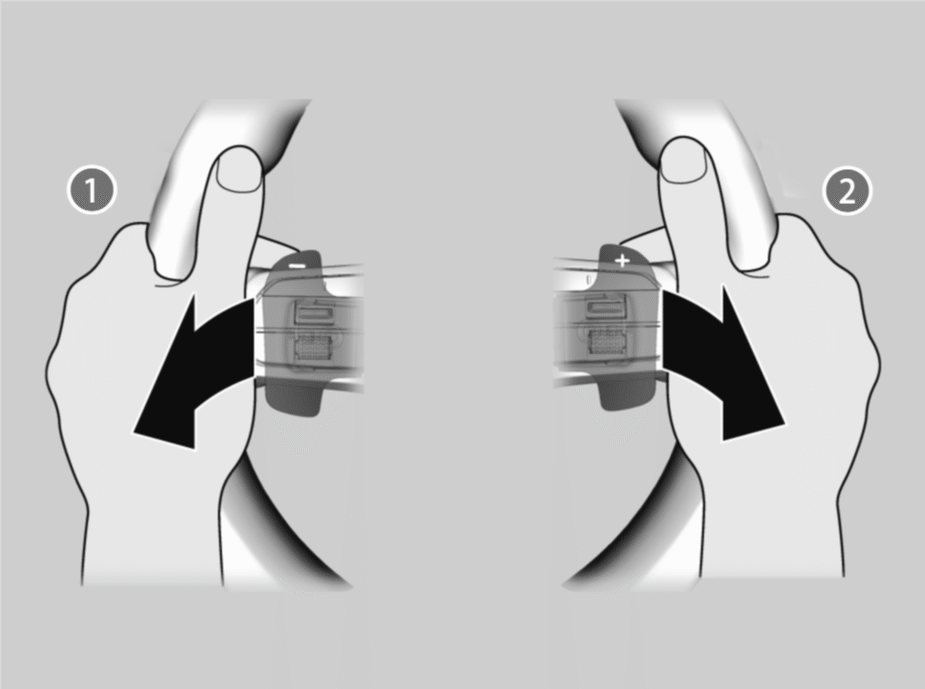
Pull back on −
- Gear level decreases by 1.
Pull back on +
- Gear level increases by 1.
While the system is on, you can pull back on the + paddle to increase the gear level by 1, or pull back on the − paddle to decrease the gear level by 1.
When you operate the paddle, an arrow is displayed next to the gear number.
You can keep the + paddle pulled back to have the gear level change without needing to repeatedly pull on the paddle.
Even while operating the paddle, the gear level will shift according to the situation.
You can keep the − paddle pulled back to decrease gear levels based on speed.