
Drive Mode System
Selecting the Drive Mode
Press the DRIVE MODE switch ( ) to select a mode. The mode you select appears on the driver information interface.
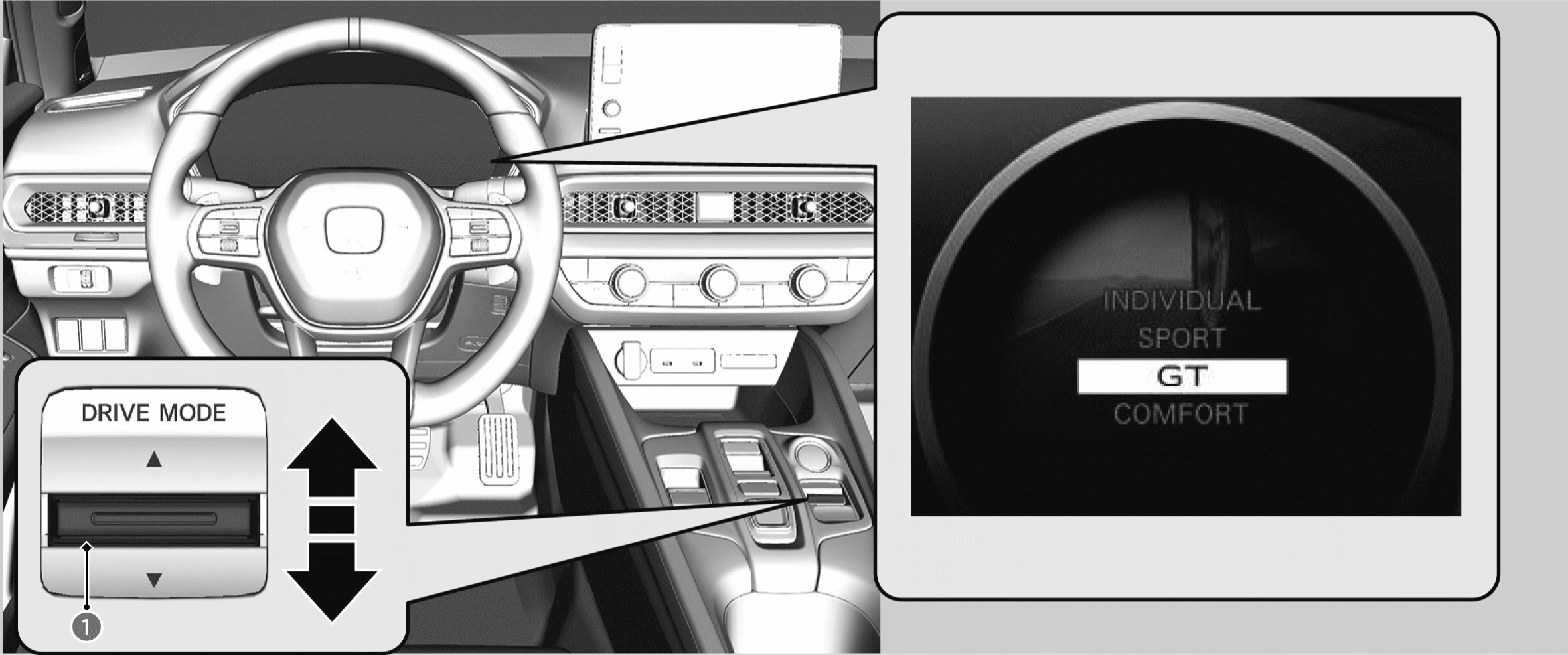
The mode may not be able to be changed under some driving conditions. If there is a vehicle system failure, a message will also appear on the driver information interface, and you cannot change the mode.
INDIVIDUAL Mode
Customize each category to suit the driver’s preference.
Customizing the INDIVIDUAL Settings
SPORT Mode
Enhances responsiveness to the driver’s input.
GT Mode
Optimises the balance between operability and comfort.
COMFORT Mode
Enhances driver comfort.
Next Start-Up Mode
The mode for the next start-up is saved according to the following chart. Each keyless remote has its own mode saved.
|
Last Mode |
Next Mode |
|
GT |
GT |
|
COMFORT |
COMFORT |
|
SPORT or INDIVIDUAL |
GT |
|
INDIVIDUAL |
GT |
Customizing the INDIVIDUAL Settings
- Select INDIVIDUAL mode.
- Press the DRIVE MODE switch up and hold or select Customize to open the INDIVIDUAL Settings.
- You can also select from customized features on the audio/information screen.
- Select the setting category.
- Select the desired setting.
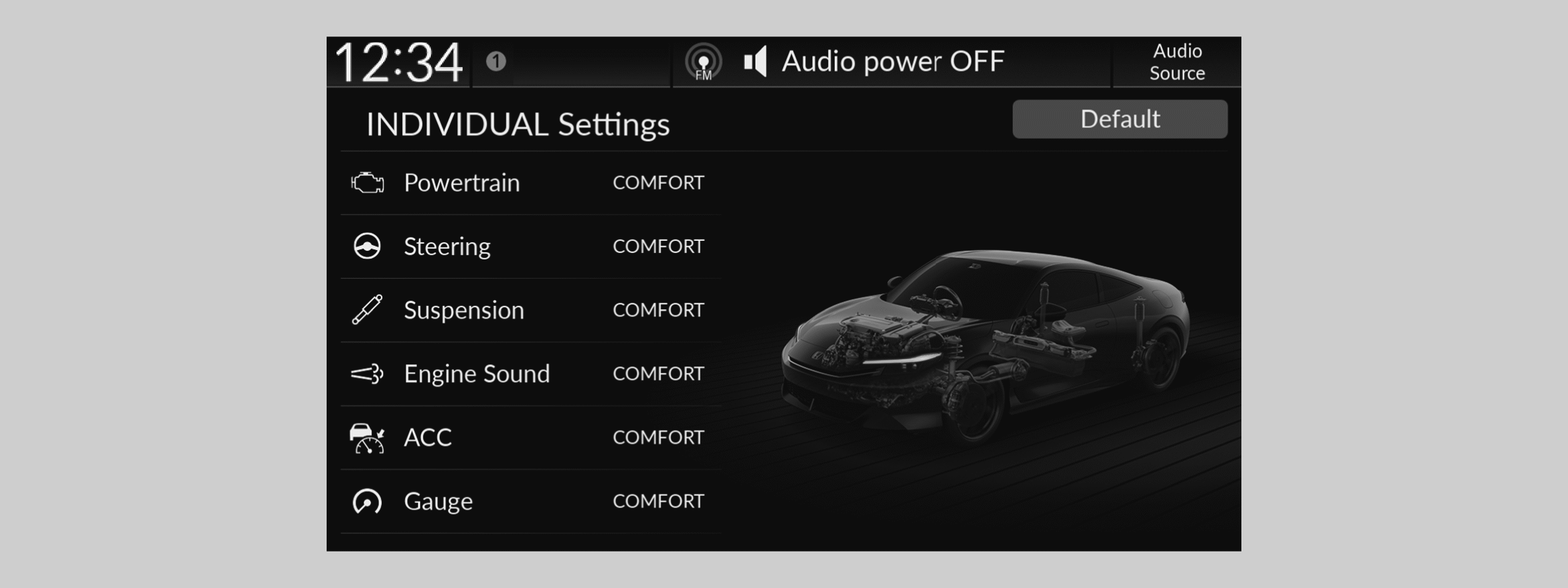
When you select Default on the INDIVIDUAL Settings screen, all INDIVIDUAL settings are reset to their factory defaults.