
Drive Mode System
Selecting the Drive Mode
Press the DRIVE MODE switch ( ) or BOOST switch (
 ) to select a mode. The mode you select appears on the driver information interface.
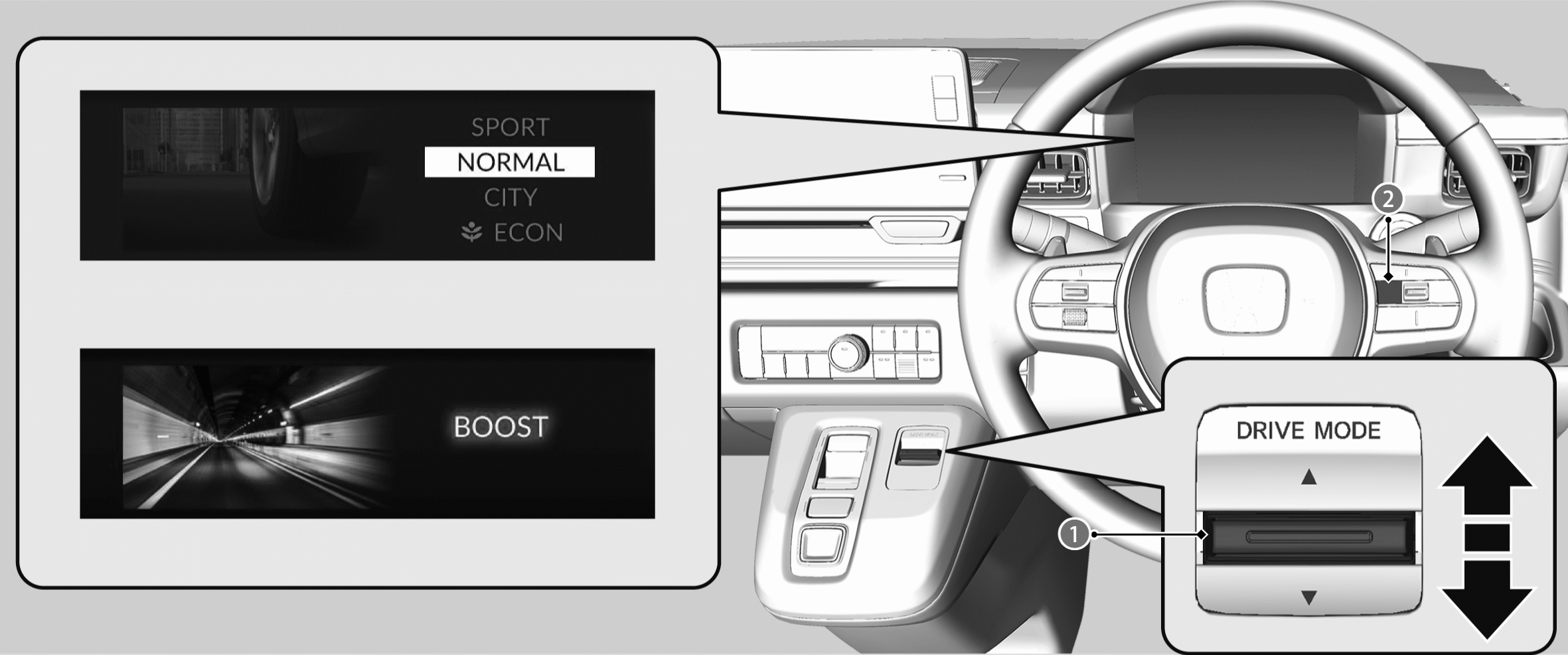
The mode may not be able to be changed under some driving conditions. If there is a vehicle system failure, a message will also appear on the driver information interface, and you cannot change the mode.
ECON Mode
Facilitates energy-efficient driving.
- Saves energy by slowing acceleration and limiting the climate control system’s output.
CITY Mode
Optimises the balance between controllability and comfort.
Single pedal control is turned on.
NORMAL Mode
Optimises the balance between controllability and comfort.
SPORT Mode
Enhances responsiveness to the driver’s input. This feature simulates the sounds and sensations of driving a vehicle with a transmission system.
How SPORT and BOOST Modes Operate
BOOST Mode
Maximises torque. This feature simulates the sounds and sensations of driving a vehicle with a transmission system.
Next Start-Up Mode
The mode for the next start-up is saved according to the following chart. Each keyless remote has its own mode saved.
|
Last Mode |
Next Mode |
|
ECON |
ECON |
|
CITY |
CITY |
|
NORMAL |
NORMAL |
|
SPORT |
SPORT |
|
BOOST |
Last mode that was selected before BOOST |
How SPORT and BOOST Modes Operate
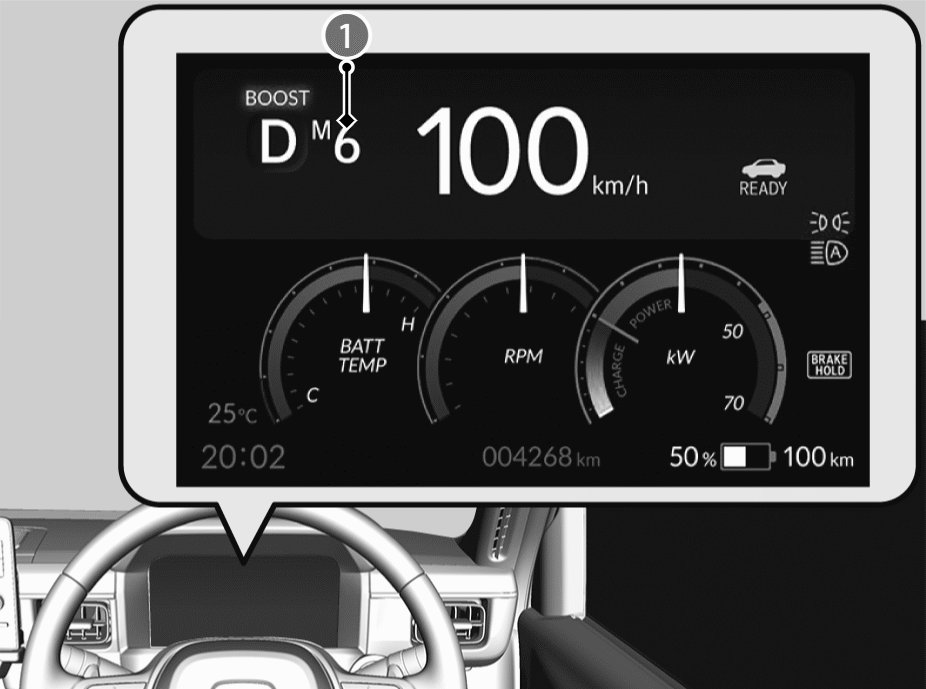
When the drive mode is in SPORT or BOOST mode, the system simulates the sounds and sensations of driving a vehicle with a transmission system.
At this time, the gauge display changes and the simulated gear level () is shown on the gauge.
- Depending on the brake pad temperature or the charge status of the High Voltage battery, the feeling of acceleration or the simulated sensations of driving a vehicle with a transmission system may be reduced.
Paddle shifter
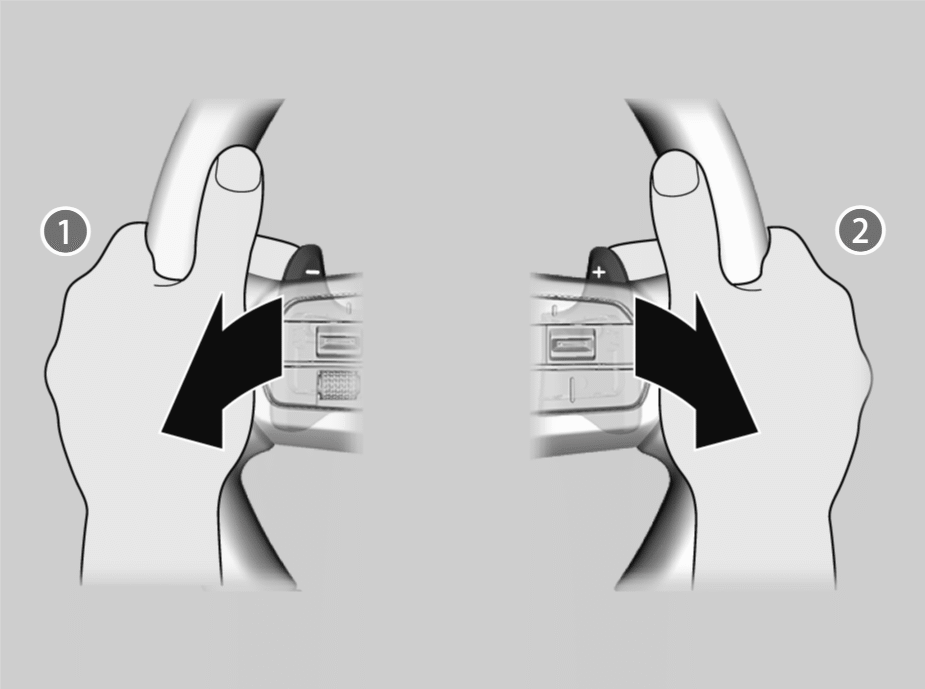
Pull back on −
- Gear level decreases by 1.
Pull back on +
- Gear level increases by 1.
While SPORT or BOOST mode is on, you can pull back on the + paddle to increase the gear level by 1, or pull back on the − paddle to decrease the gear level by 1.
You can pull the + paddle back for a few seconds to switch to having the gear level change automatically.
You can pull the − paddle back for a few seconds to switch back to having the gear level need to be changed manually.