
About Shift Operation
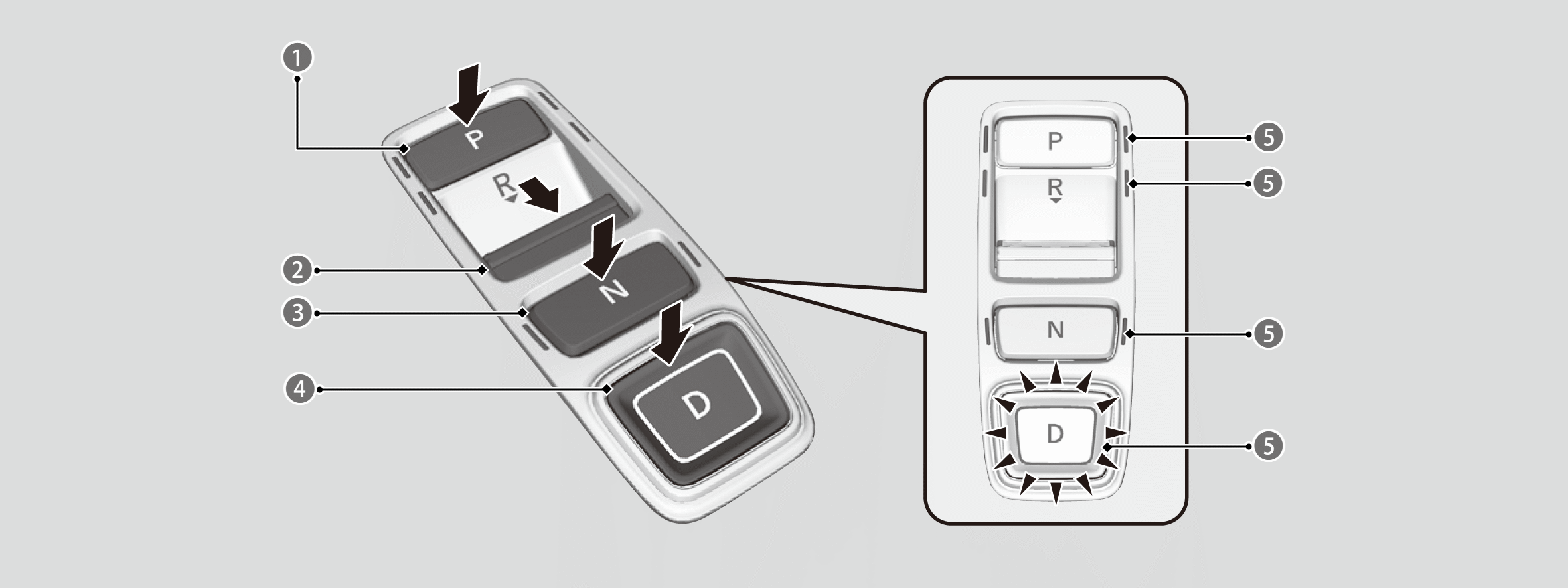

P Park: Press the P button.
- Used when parking or turning the power on or off.

R Reverse: Press the R button.
- Used when reversing.
- The beeper sounds once when you change to R.

N Neutral: Press the N button.
- Transmission is not locked.

D Drive: Press the D button.
- Used for normal driving.
- The deceleration paddle selector can be used temporarily.
- The deceleration paddle selector can be used while locked when the M indicator is on.

Shift Button Indicator
Precautions when parking:
Park your vehicle in a safe place with the power mode in ON, then apply the brakes and press the P button to put the transmission in P.
- The indicators on the sides of the P button come on.
Gauge display
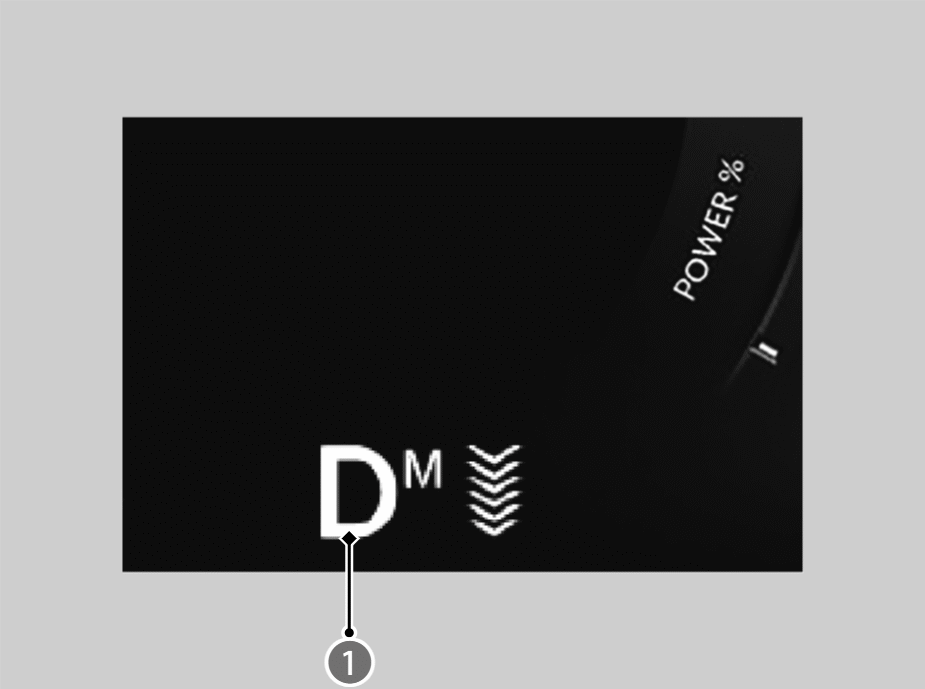
Shift Position Indicator/Transmission System Indicator
- Use the shift position indicator and the shift button indicator to check the shift position before and after selecting a shift button.
- When shifting positions in extremely low temperatures -30°C, there may be a short delay before the shift position is displayed.

You can turn the reverse alert sound on/off.

- Do not spill any liquids on or around shift buttons.
- Do not place or drop any objects on or around shift buttons.
- Do not let passengers or children operate the shift buttons.
Automatic P Position Function
When opening the driver’s door
If you open the driver’s door under the following conditions, the shift position automatically changes to P.
- The vehicle is stationary with the power mode in ON, or moving at 2 km/h (1 mph) or slower.
- The shift position is in a position other than P.
- You have unfastened the driver side seat belt.
- If you manually change the shift position from P with the brake pedal depressed, the shift position will automatically return to P once you release the brake pedal.
When turning off the power mode
If you turn the power system off while the vehicle is stationary, and the shift position is in a position other than P, the shift position automatically changes to P.
N Position Holding Mode (Car Wash Mode)
With the power system on:
- Press and hold the brake pedal.
- Select N.
- Within 5 seconds, press POWER button.
- This puts the vehicle in car wash mode which must be used when your vehicle is pulled through a conveyor type automatic car wash where you or an attendant does not remain in the vehicle.
- The shift position remains in N with the power mode in ACCESSORY for 15 minutes, then, it automatically changes to P.
Manually changing to P cancels ACCESSORY mode. The P indicator comes on and the power mode changes to OFF.
Note that the shift position may not stay in N position while any of the following indicators is on:
- Transmission system indicator
- Power system indicator
- 12-volt battery charging system indicator
Restrictions on Selecting a Shift Position
You cannot select a shift position under certain circumstances that may lead to a crash.
- When in a safe condition, select the appropriate shift position with the vehicle is stopped and depressing the brake pedal.
- Make sure that the ready indicator comes on.
|
When the transmission is in: |
1. Under these circumstances: |
2. If you try to change to the following: |
3. The shift position remains in/changes to: |
|
P |
The brake pedal is not depressed. |
Other shift position |
P |
|
The accelerator pedal is depressed. |
|||
|
N |
The vehicle is moving at low speed without the brake pedal depressed. |
Other shift position |
N |
|
The vehicle is moving at low speed with the accelerator pedal depressed. |
|||
|
N or D |
The vehicle is moving forward. |
R |
N |
|
R or N |
The vehicle is moving backward. |
D |
N |
|
R, N, or D |
The vehicle is moving. |
P |
N |
|
P or N |
The ready indicator is not on. |
A shift position other than P or N |
P or N |