
Device for Operating Each Function and Gauge Content
Operating Device
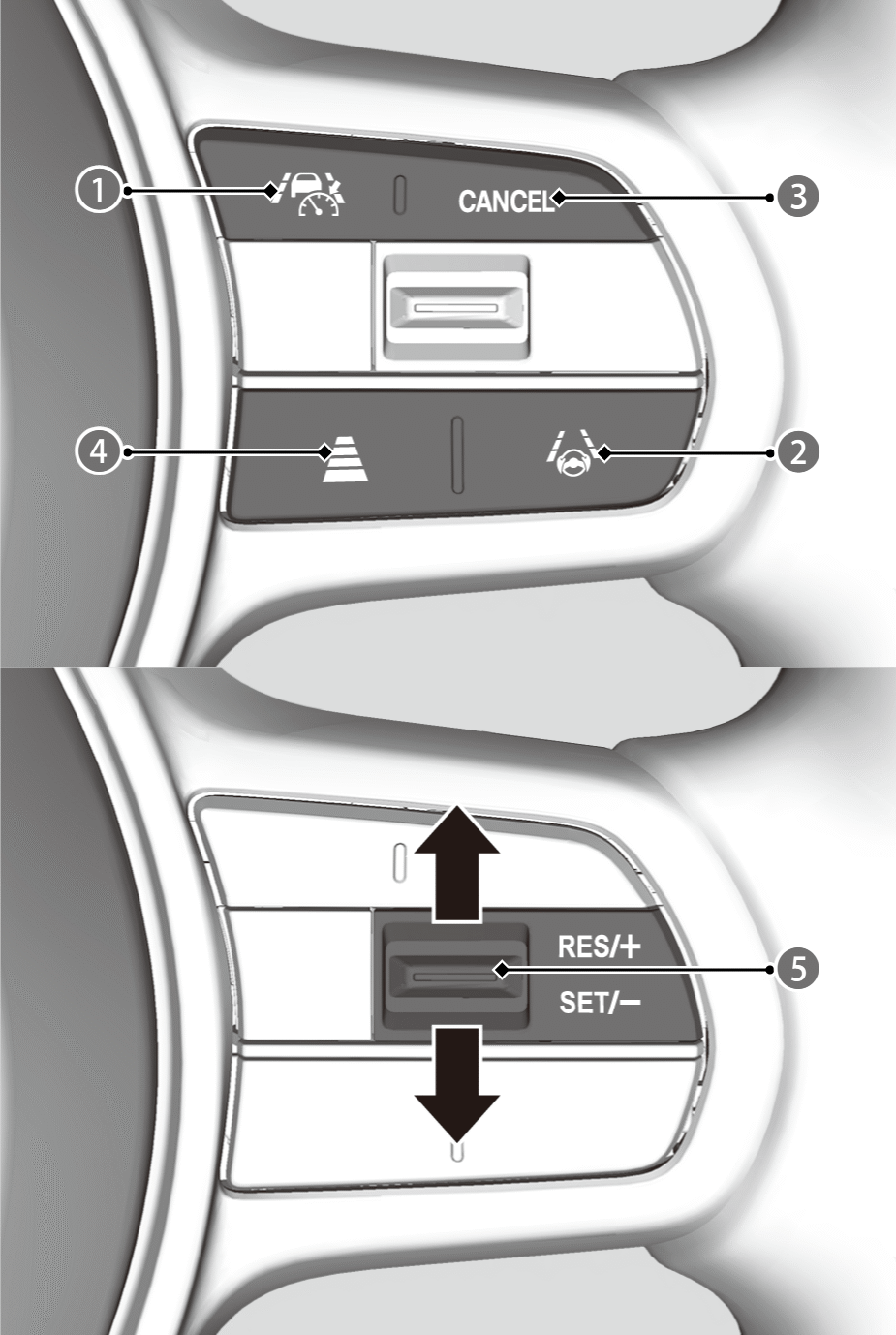

 Button
Press to activate standby mode for the following features:
- ACC with Low Speed Follow
- LKAS and Traffic Jam Assist
Or press to cancel these systems.

 Button
When ACC with Low Speed Follow is operating, press to activate or cancel LKAS and Traffic Jam Assist.

CANCEL Button
Press to cancel the following features:
- ACC with Low Speed Follow
- LKAS and Traffic Jam Assist

 Interval Button
Press to change the ACC with Low Speed Follow following-interval.

RES/+/SET/− Switch
- Press the RES/+/SET/− switch up to set or resume the ACC with Low Speed Follow or increase the vehicle speed.
- Press the RES/+/SET/− switch down to set the ACC with Low Speed Follow or decrease the vehicle speed.
- LKAS and Traffic Jam Assist will be activated or resumed.
Gauge Content
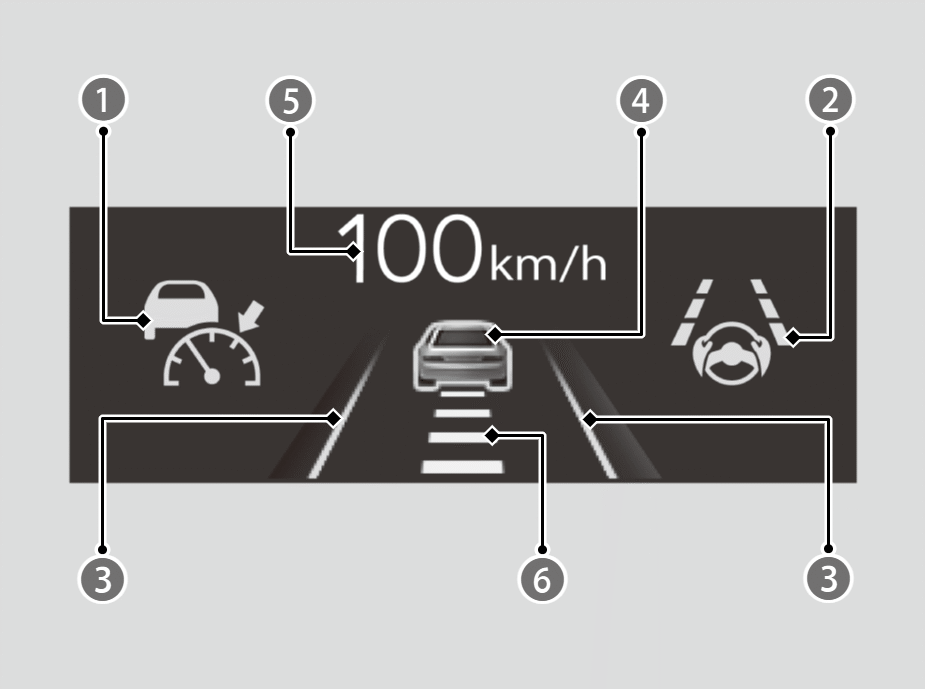
You can see the current state of each function.
Indicates that ACC with Low Speed Follow is ready to be activated.
- Green, White/Green: The system is on.
- White/Green indicates that a vehicle is not detected ahead.
- White: The system is standby.
- Amber: There is a problem with the system.
Indicates that LKAS or Traffic Jam Assist is ready to be activated.
- Green: The system is operating.
- White: The system is standby.
- Amber: There is a problem with the system.
Indicates that LKAS or Traffic Jam Assist is activated and whether or not traffic lane lines are detected.
- Green Lines: The system is operating.
- White Lines: Traffic lane lines are detected.
- Amber Line: Lane departure is detected.
Indicates whether or not a vehicle is detected ahead.
Indicates that ACC with Low Speed Follow shows the set vehicle speed.
- White: Set Vehicle Speed
- Grey: Prior Set Speed

Indicates that ACC with Low Speed Follow shows the set vehicle interval.