
USB Ports
On the front panel
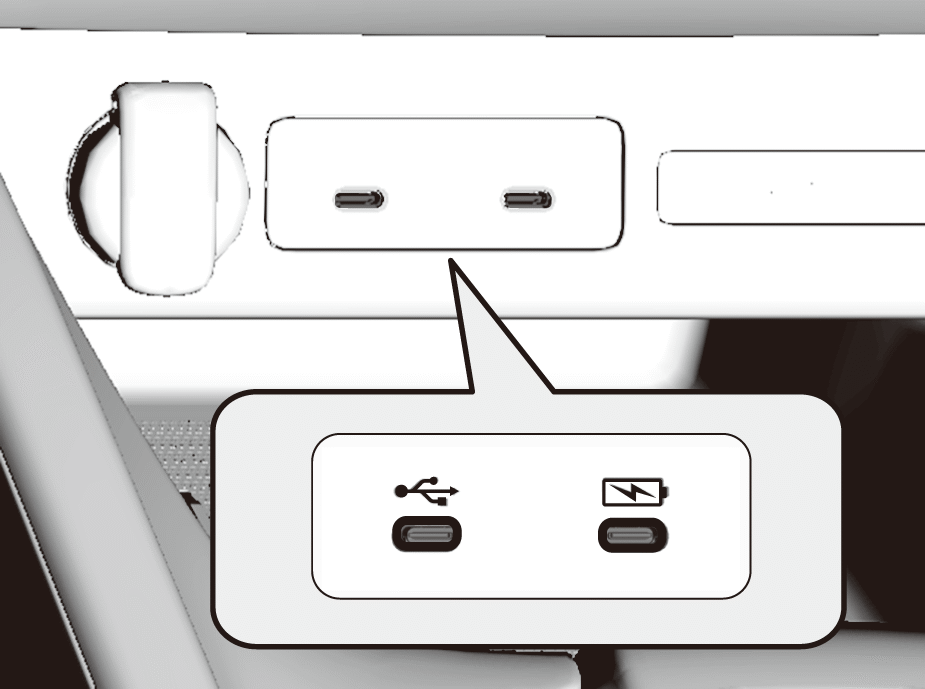
USB charging/connector port ( )
)
The USB port is for charging devices, playing audio files, and connecting compatible phones with Android Auto or Apple CarPlay.
- To prevent any potential issues, be sure to use an Apple MFi Certified Lightning Connector for Apple CarPlay. USB cables should be certified by USB-IF to be compliant with USB 2.0 Standard.
USB charging port ( )
)
The USB port is only for charging devices.
- You cannot play audio files even if an audio device is connected.
- We recommend backing up your data before using the device in your vehicle.
- Messages displayed on the Audio System may vary depending on the device model and software version.
- Some devices may not work even if they are connected to the USB ports.
Supplementary information about USB Charging:
- The USB port can supply up to 3.0A of power. It does not output 3.0A unless requested by the device.
- For amperage details, read the operating manual of the device that needs to be charged.

Do not leave the device or USB flash drive in the vehicle. Direct sunlight and high temperatures may damage it.
Do not connect the device or USB flash drive using a hub, as they will not operate if you do.
Do not use a device such as a card reader or hard disk drive, as the device or your files may be damaged.