
Wireless Charger
About Wireless Charger
To use the wireless charger, the power mode must be in ACCESSORY or ON.
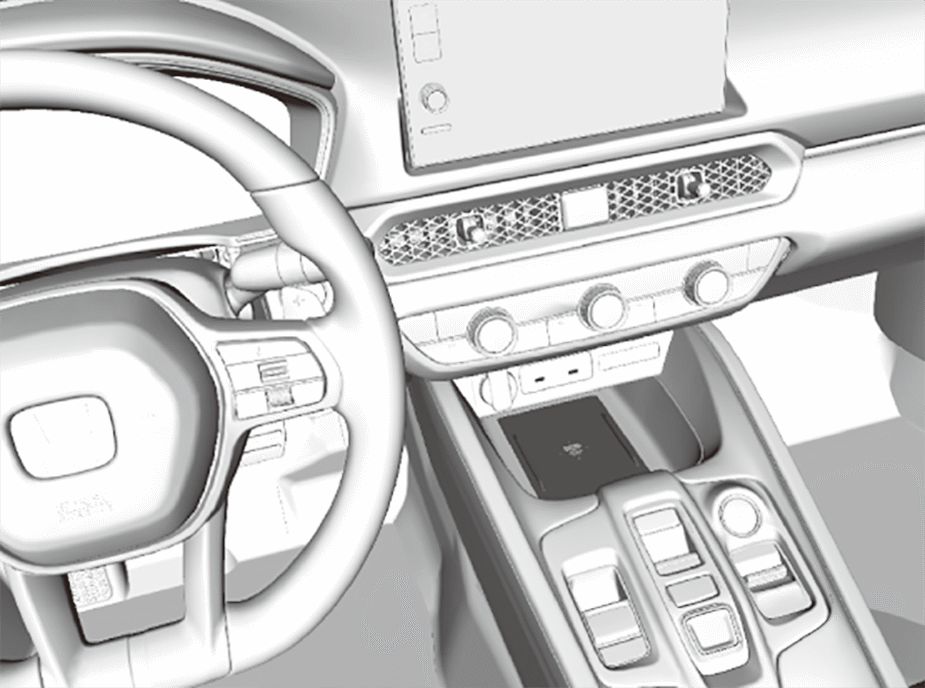
Charge any devices compatible with Qi wireless charging on the area indicated by the mark as follows:
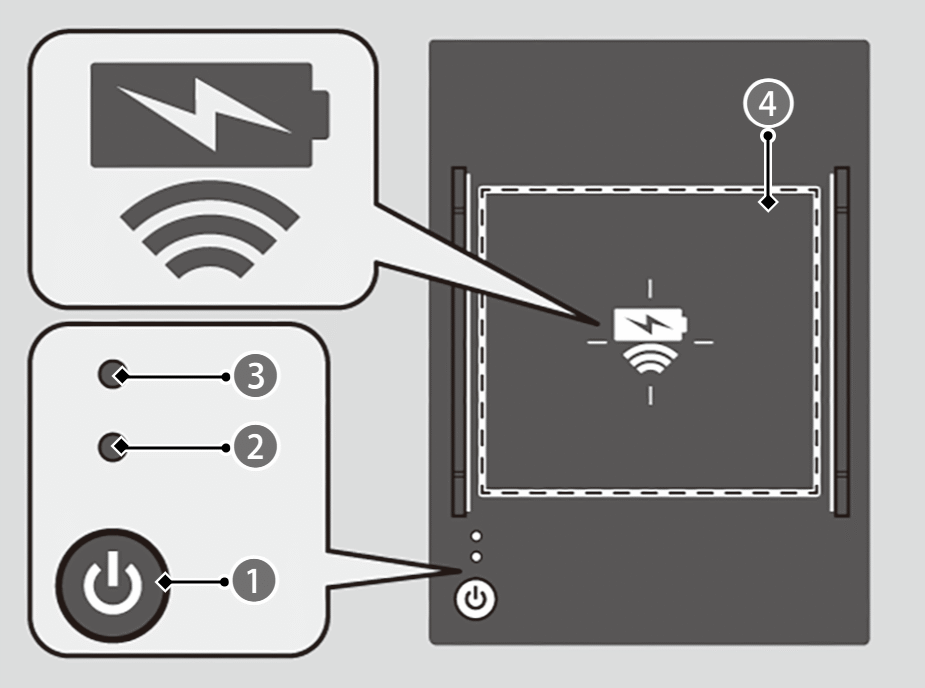

 (Power) Button
Green Indicator

Amber Indicator

Charging Area
- To turn the system on and off, press and hold the(power) button.
- When the system is activated, the green indicator light comes on.
- Place the device you want to charge on the charging area.
- The system will automatically start charging the device, and the amber indicator light will come on.
- Make sure that the device is compatible with the system, and placed with the chargeable side in the centre of the charging area.
- When charging is completed, the green indicator light will come on.
- Depending on the device, the amber indicator light will stay on.
 CAUTION
Metal objects between the charge pad and the device to be charged will get hot and can burn you.
- Always remove foreign objects from the charge pad before charging the device.
- Be sure the surface is clear of dust and other debris before charging.
- Do not spill liquids (e.g. water, drinks, etc.) on the charger and the device.
- Do not use oil, grease, alcohol, benzine, or thinner for cleaning the charge pad.
- Do not cover the system with towels, clothing, or other objects while charging etc.
- Avoid spraying aerosols which may come in contact with the charge pad surface.

“Qi” and marks are the registered trademarks owned by Wireless Power Consortium (WPC).
The unit is compliant with WPC Specification Version 1.2.
- The wireless charger can support up to 15W, but the charging rate varies based on the device and other conditions.
 appears on the audio/information screen when the device is being charged by the wireless charger.
- During the charging phase, it is normal for the charging area and the device to heat up.
Charging may be briefly interrupted when:
- All doors or the tailgate is closed to avoid interference with the proper functioning of the keyless access system.
In the following cases, charging may stop or not start:
- The device is already fully charged.
- The temperature of the device is extremely high while charging.
- You are at a place that emits strong electromagnetic waves or noises, such as a TV station, electric power plant, or petrol station.
- The device has a cover, case, or accessories which are not compatible with wireless charging.
Indicator flashing
Perform one of the following solutions, based on the situation.
When the Indicator (Green & Amber) Blink simultaneously
- Remove the obstacle(s).
- Pick up and reset the device to the centre of the charging area whereis located.
- Temporarily suspend charging the device. Wait for the temperature to drop and attempt to charge the device again.
When the Indicator (Amber) Blinks
- Contact a dealer for repairs.